
FB/010.5.1
The workbench
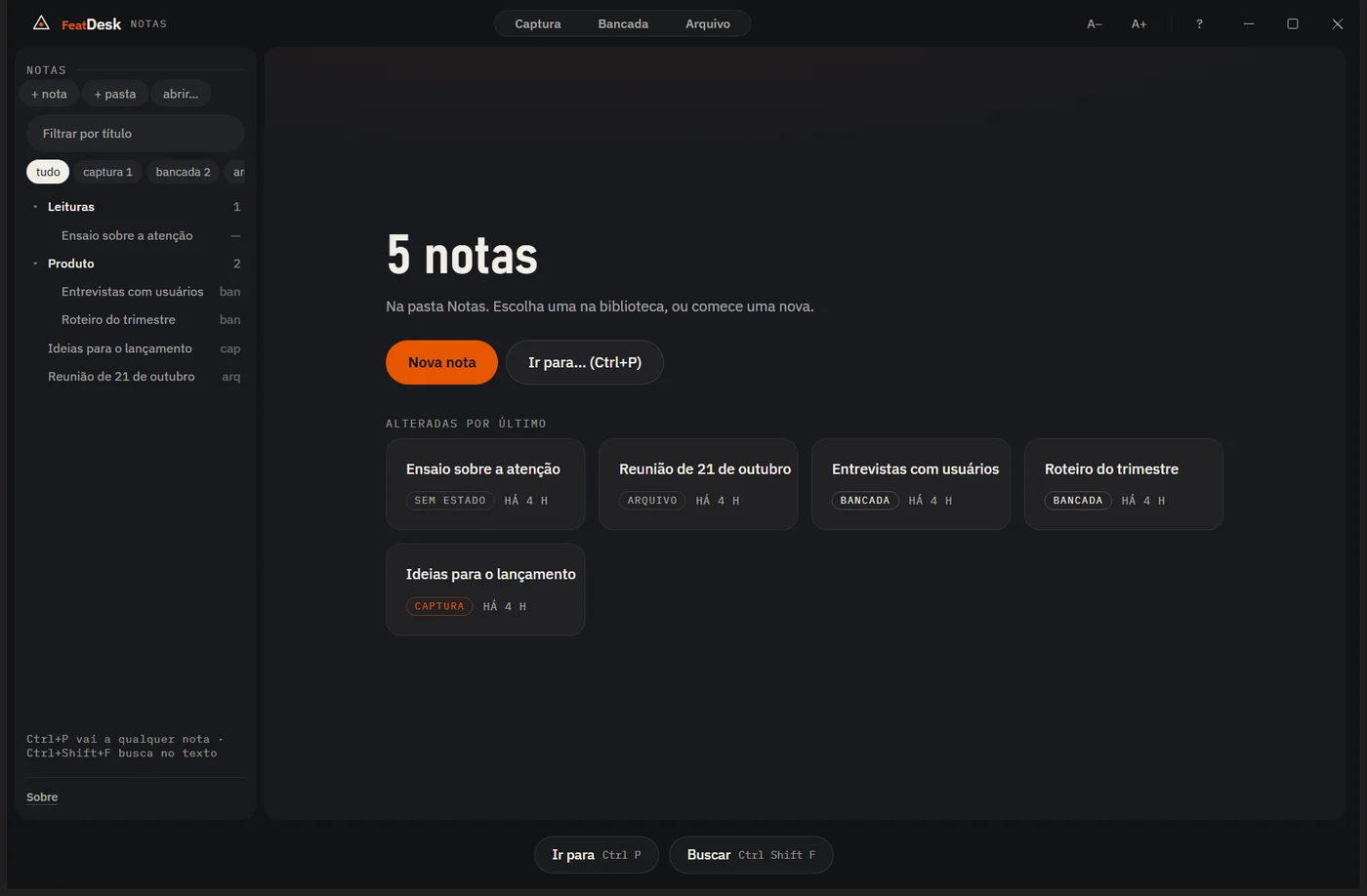
FeatDesk
Markdown notes in a folder you own, in three states: capture, bench and archive. Search everything; the app never touches the internet.

Tool suite0.5.1 · pilot open
Featbox is a suite of tools for people running long projects with several AI assistants. Every AI has its role, and you have the final word.
[01] The approach
AI without a process is automated chaos. Featbox starts from three principles, and the tools exist to keep them.
Each assistant does what it does best: planning, research, review. The project context is the same for all of them.
The AI proposes, researches and executes. What becomes a rule goes through a person's approval and is recorded with date and source.
Each provider gets only what its role needs. The full project stays with you, in your own files.
[02] The tools
The names follow a simple rule: Feat + the job. The screens below are from the installed 0.5.1, with demo data.
Markdown notes in a folder you own, in three states: capture, bench and archive. Search everything; the app never touches the internet.
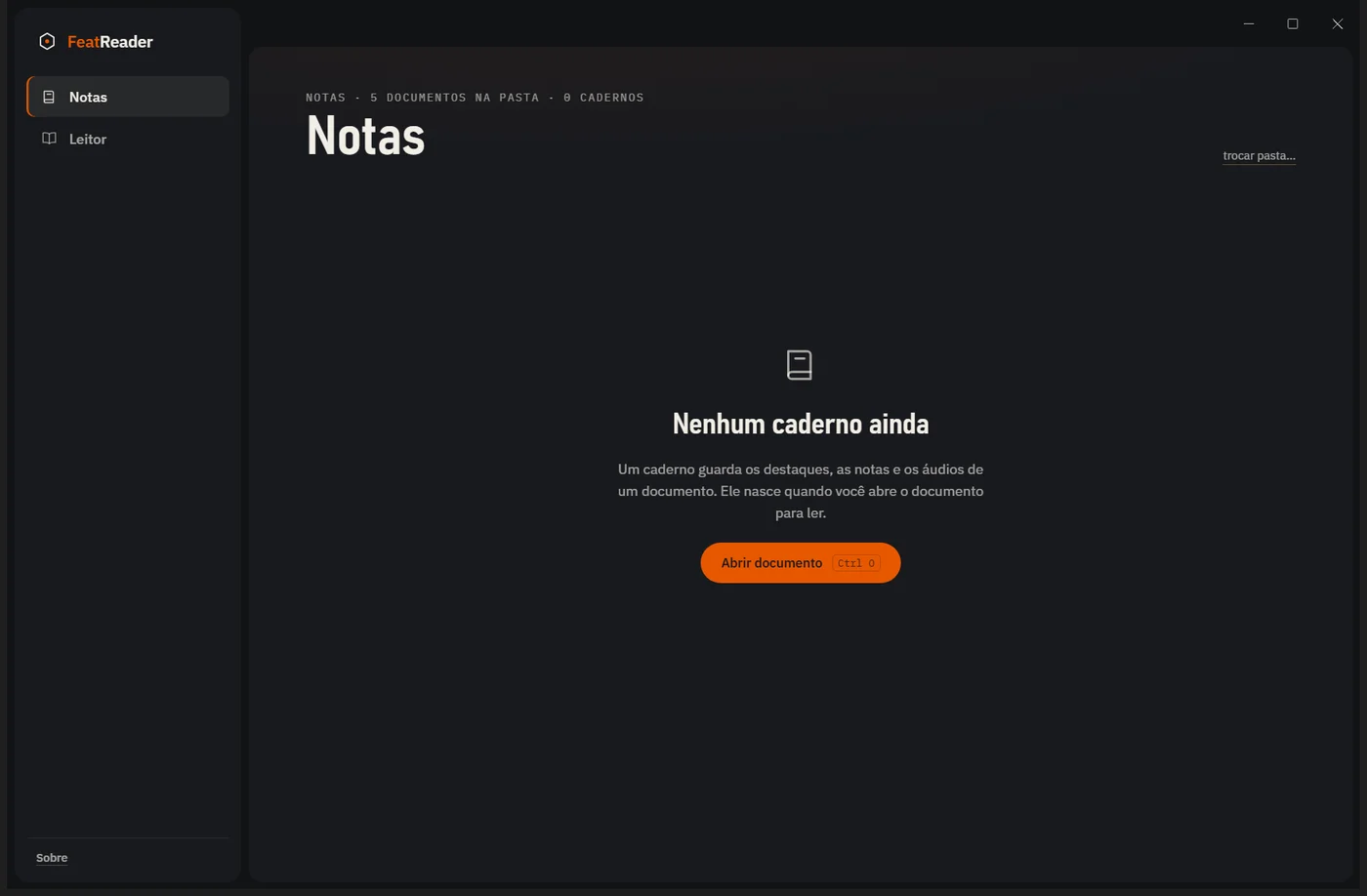
Reads md, txt, pdf and docx. Each document gets a notebook with highlights, notes and audio, and text-to-speech runs on your computer. Free.

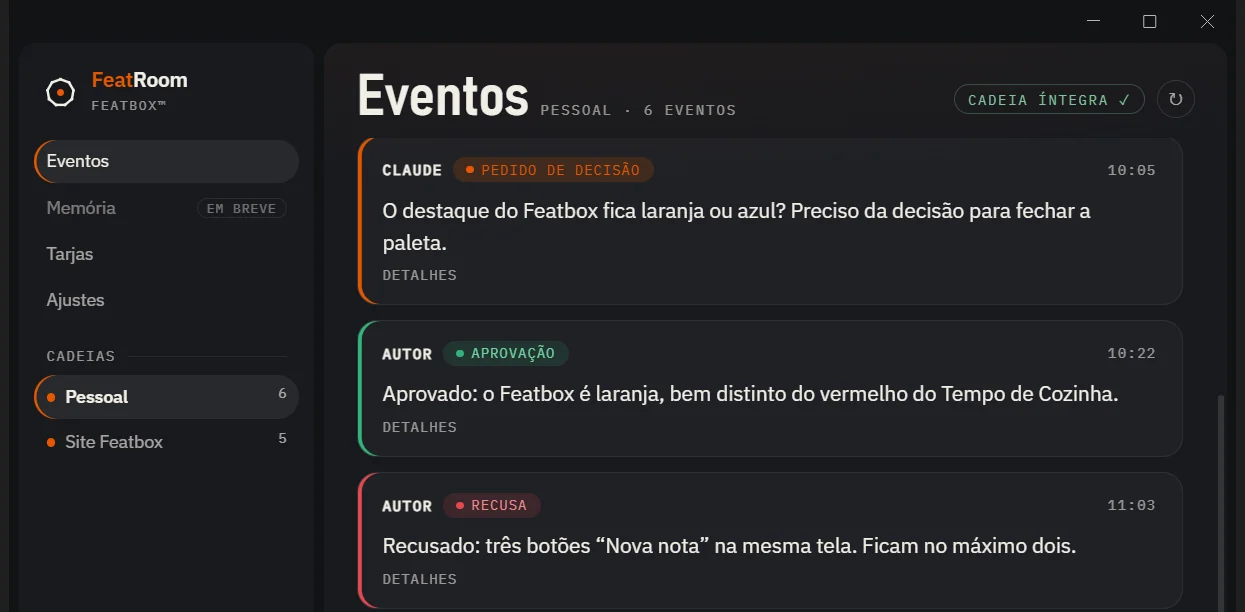
Every request, approval and rejection goes into a hash chain: you can prove what was decided and when. One personal chain and one per project.

[03] How a decision moves
Alongside, an illustration of how a proposal becomes a rule.
[04] How it is built
Featbox is built with AI, with a person approving what matters.
Nothing is called done without automated tests and a record of why each decision was made.
Architecture, decisions and tests are written down in every project.
This page and the presentation docs are public. The code stays private.
[05] In practice
Only what works and can be checked, or what was measured, goes here. Anything still a hypothesis stays out.
No feature uses cloud AI in this version, and each app's About screen says so. FeatDesk blocks every network connection. FeatRoom's language model is optional, off by default, and only accepts a model running on your own PC.
The AI logs a decision request; you approve or reject it. Each event type has its own color, and a rejection is recorded just like an approval.
Each event stores the SHA-256 of the previous one, in a file that only grows. The app checks the chain and shows "chain intact". If anyone edits an old record, the check flags it.
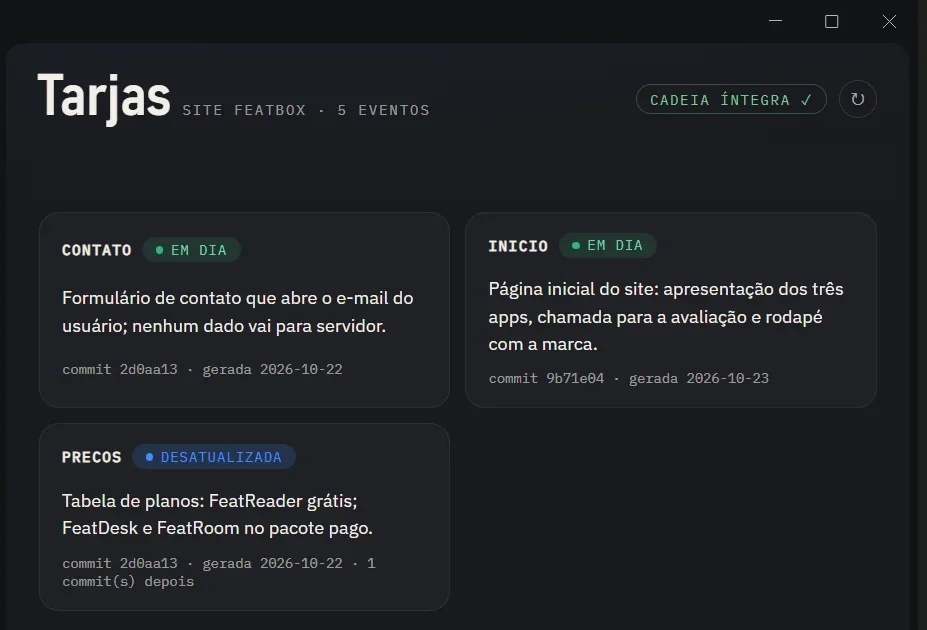
Each module of the project has a short card describing what it does. When new code lands after it, the badge changes from "up to date" to "outdated", so you know what the AI should no longer trust.
One real week of work (Oct 17–23, 2026): about 650 million tokens across 33 sessions. On average, the AI re-read 380k tokens on every reply. The biggest cost comes from long conversations, not from code.
cost meter in testing; joining the suite42 tests in FeatDesk, 48 in FeatReader and 4 for FeatRoom's chain, plus a smoke test of each installed app. Open file formats: if Featbox disappeared tomorrow, your notes would still open.
default-src 'none'. The UI never touches the disk: everything goes through validated IPC.eventos.jsonl, append-only. Each event stores the SHA-256 of the previous one; the app recomputes the chain and shows whether it is intact. Types: request, approval, rejection, message, execution.[06] Current status
No promises beyond what is standing. Version 0.5.1 for Windows, per-user install, no admin rights. When something changes, it changes here.
[07] Who builds it
Renato Manduca, from Garopaba, Brazil. Over a decade inside operations, from the counter to running whole teams: floor, bar, kitchen, staff and cash. That is where the standard for the software he builds today came from: he defines what needs to exist, directs the AI agents that build it, and only calls done what passed the tests.
[08] Pilot
I want to know whether Featbox works for anyone besides me. The pilot answers that better than anything on this page.
Your details stay in the email, only to arrange the pilot. Nothing is sold or shared.